v1.1.1 β€” HARDENED AGENT + GMAIL SKILL

Your Local AI Browser For Real Automation

Build and run Skills, Workflows, and Scheduled Jobs from your own machine. Now with Self-Evolving Skills that learn and replay without LLM, a daemon API for external control, and sandbox mode for safer execution.

Download free on macOS, Windows, and Linux Β· No account required

play_arrow

See Self-Evolving Skills + Daemon API in 30 Seconds

The Problem

Most Automation Tools
Get You Flagged.

Standard tools use easily detectable signatures that put your accounts at risk. Cloud-based bots are a thing of the past.

dns

Datacenter IPs

Datacenter IPs can increase detection risk and trigger more security checkpoints on social networks.

terminal

Headless Browsers

Scripts that don't render a UI are missing real user signals like mouse movements and GPU data.

fingerprint

Shared Fingerprints

Public tools reuse browser signatures, meaning if one person is caught, everyone is.

block

Account Bans

Permanent bans and shadowbans destroy years of hard-earned organic reach.

The Solution

Automation That Runs
Like You Do

verified_user

Real Chromium

MonaBrowser runs a full, authenticated Chromium instance on your desktop with your real hardware profile.

smart_toy

AI Agent + Human Controls

Use AI to assist navigation and actions while keeping manual control in the same browser session.

schedule

Scheduled Jobs

Set specific windows for activity. Your browser wakes up, executes, and sleeps just like a human.

security

Privacy First

Permission-gated skills and zero cloud-sync for history. Your credentials stay on your device.

schema
Workflow Designer

Design step-based browser workflows and execute them with reusable templates.

timer
Scheduler

Run jobs on cron schedules and monitor execution history from one place.

palette
3 Theme Modes

Switch between Dark, Light, and Kid themes with a unified redesigned UI system.

shopping_bag
Self-Evolving Skills

Skills learn from their first run, then replay cached trajectories instantly β€” no LLM needed.

Inside The App

See It In Action

Real screenshots from a live MonaBrowser session running on NVIDIA DGX Spark.
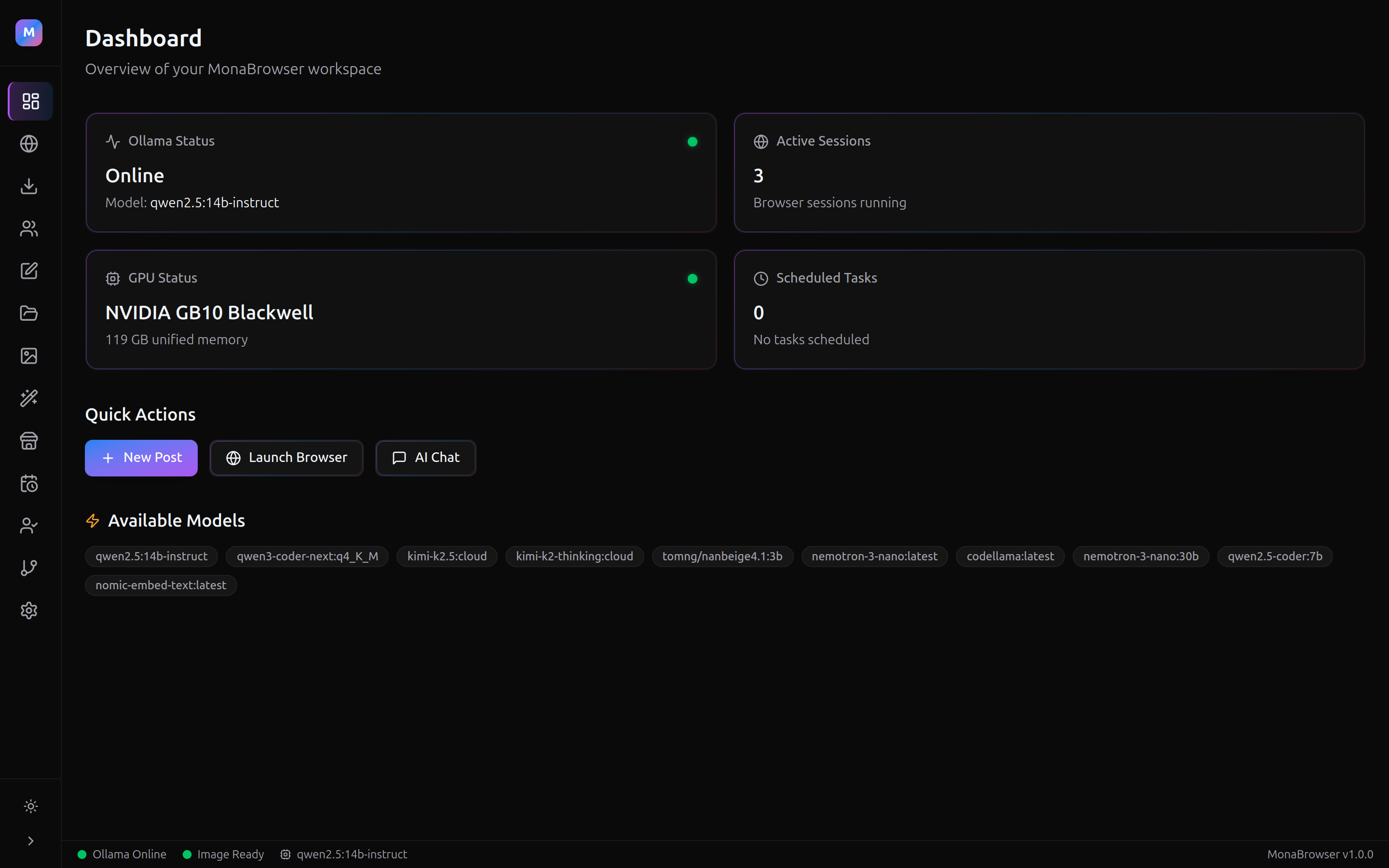
MonaBrowser Dashboard β€” Ollama status, GPU info, active sessions

Dashboard

AI model status, GPU health, active sessions, and quick actions at a glance.
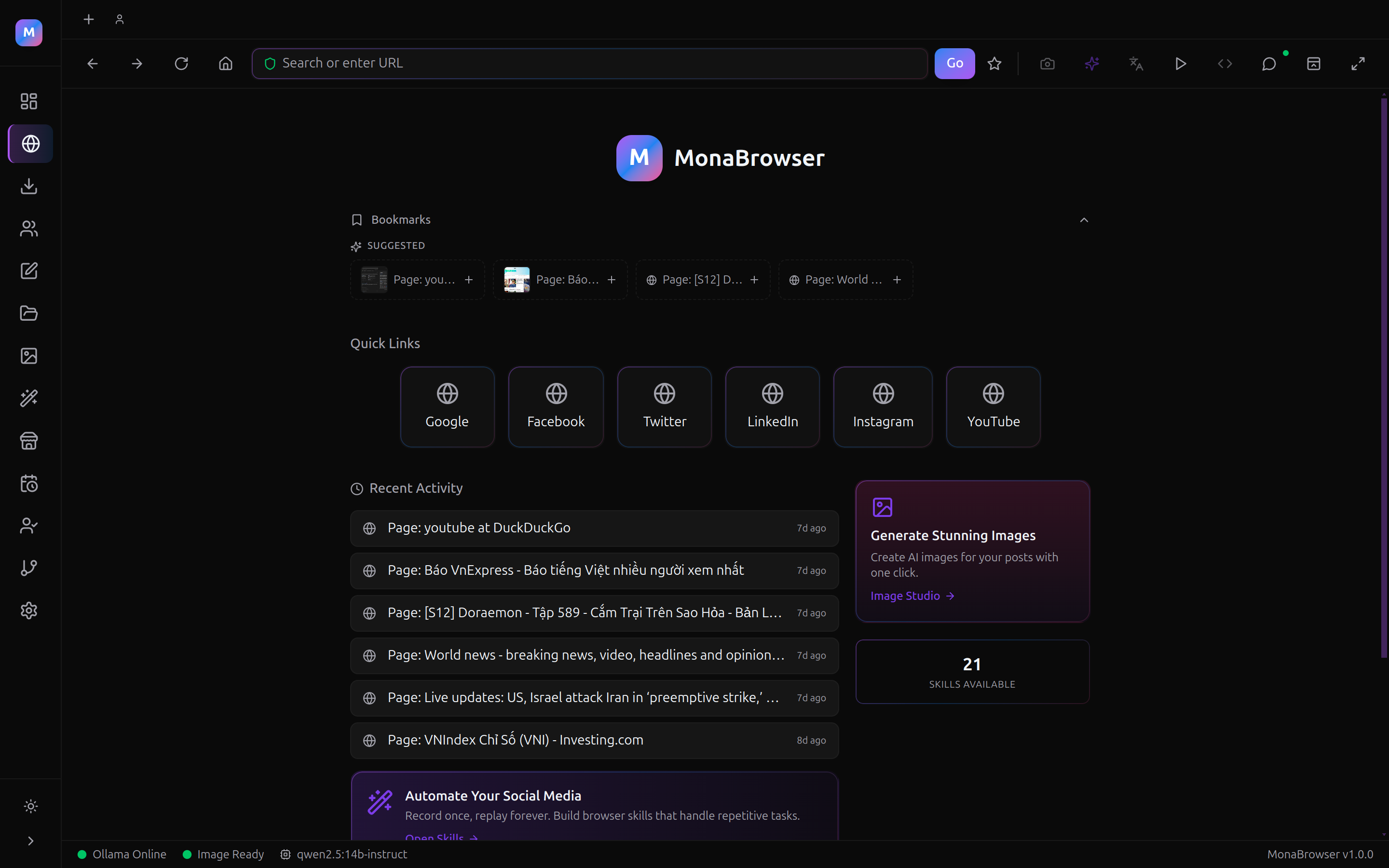
MonaBrowser Browser β€” multi-tab browsing with AI agent panel

Multi-Tab Browser

Full Chromium browser with bookmarks, quick links, recent activity, and AI agent sidebar.
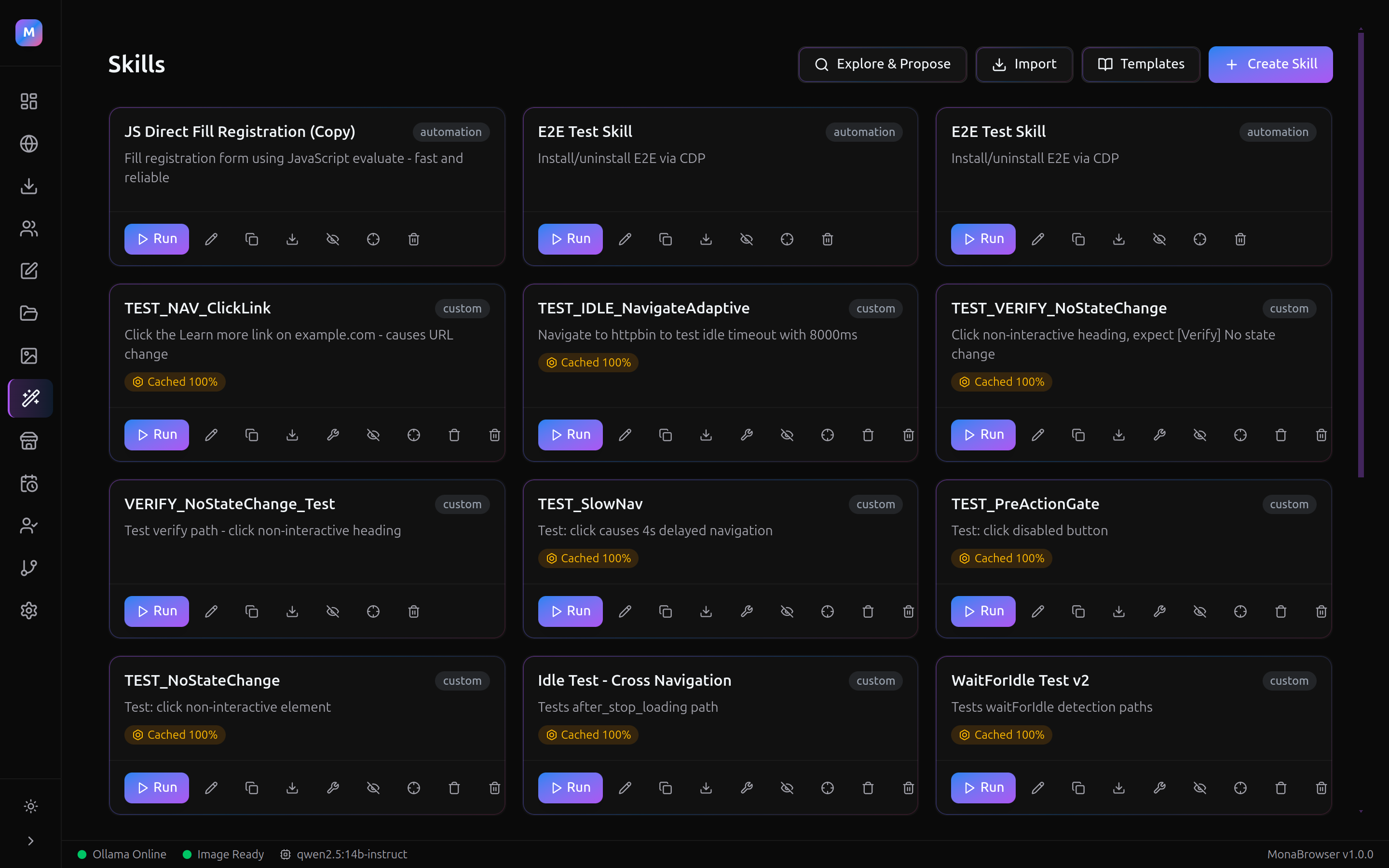
MonaBrowser Skills β€” automation skill cards with cached replay badges

Self-Evolving Skills

Create, import, and run automation skills. Cached skills replay instantly without LLM calls.
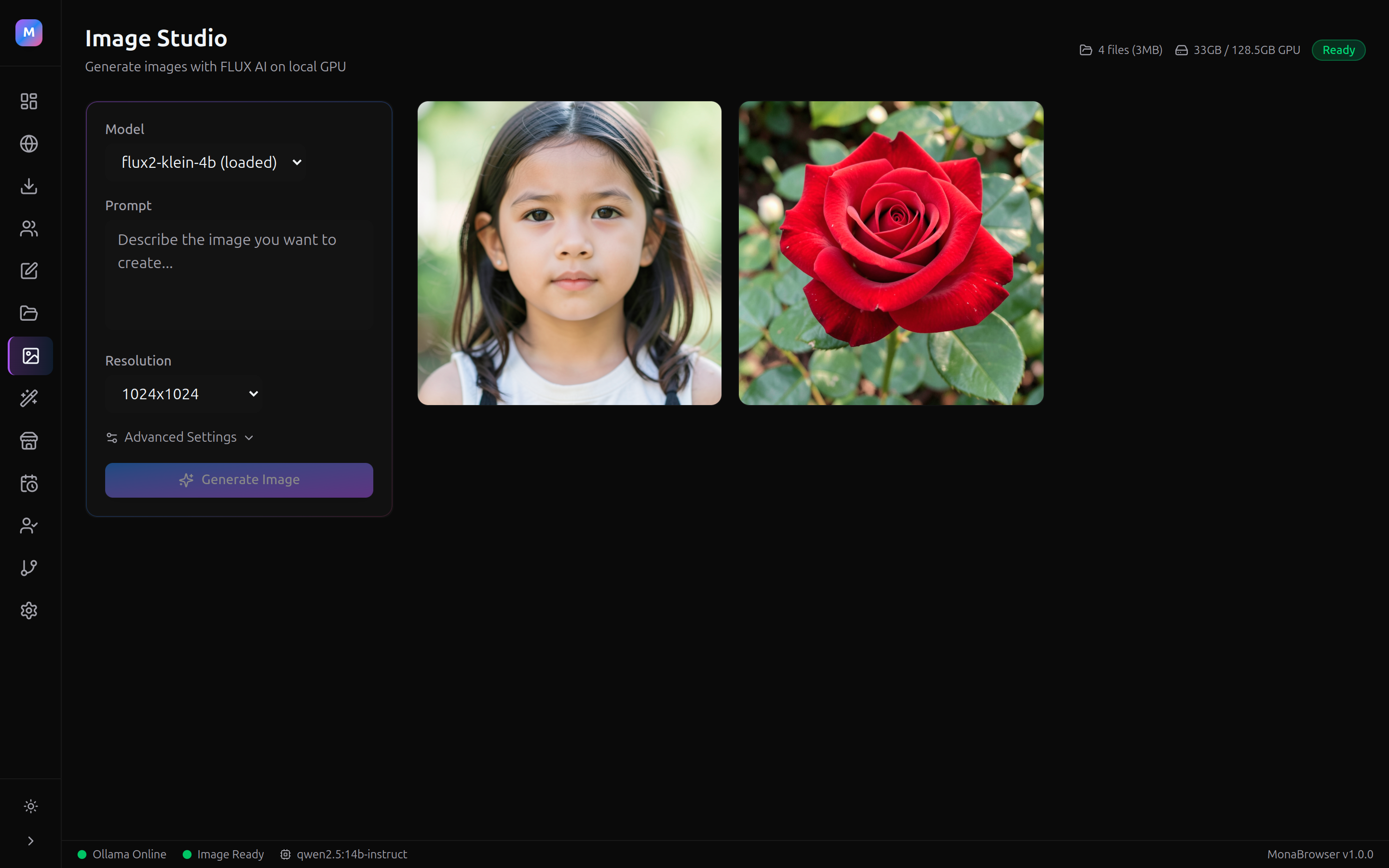
MonaBrowser Image Studio β€” FLUX AI image generation on local GPU

Image Studio

Generate images with FLUX AI models on your local GPU. No cloud API fees.
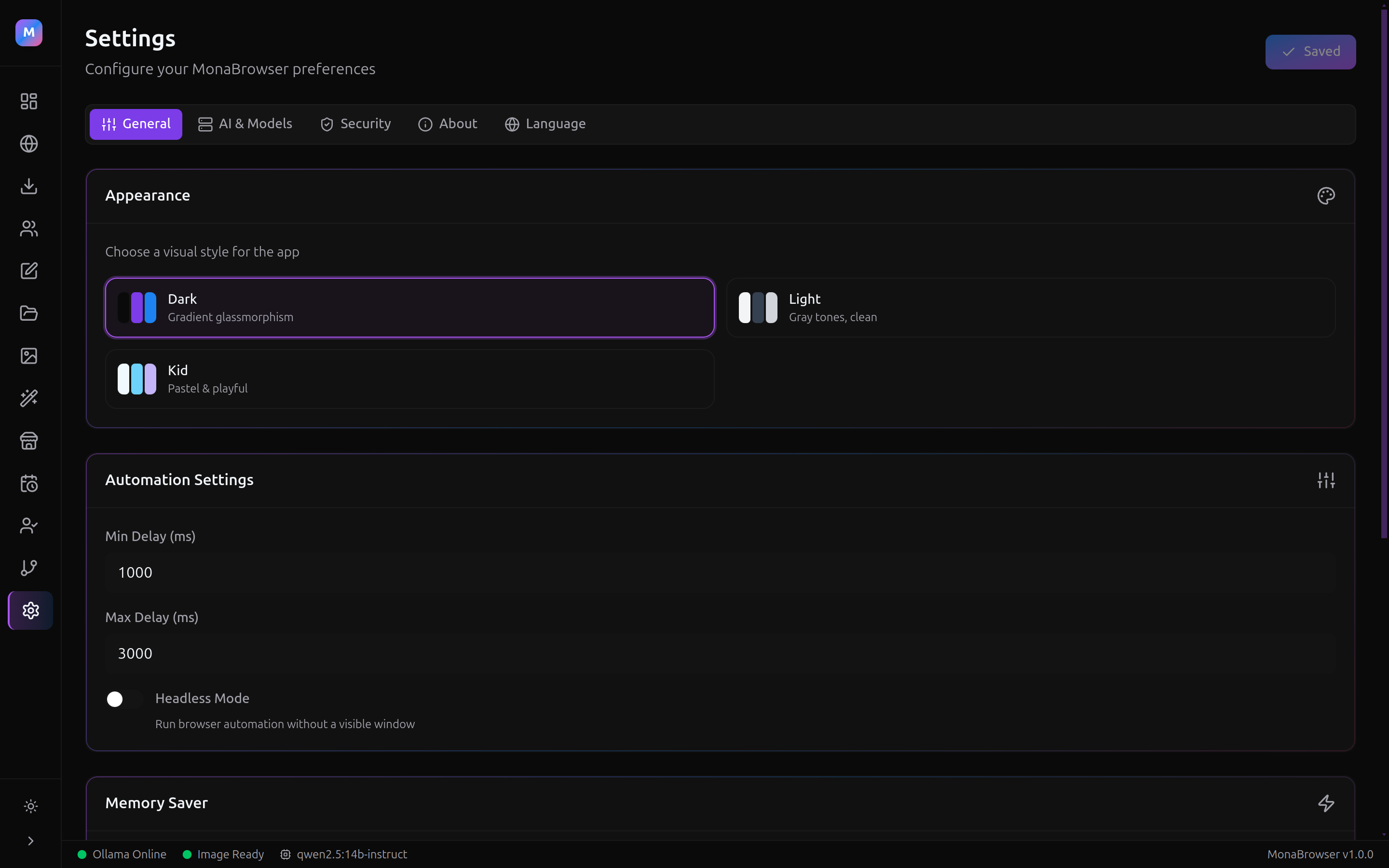
MonaBrowser Settings β€” theme picker, automation config, model selection

Settings & Themes

Dark, Light, and Kid themes. Configure automation delays, AI models, sandbox mode, and more.

What's New

v1.1.1 Product Update

Hardened agent type/select actions, Gmail account creation skill, skill runtime security with code provenance, and improved trajectory caching.

psychology

Self-Evolving Skills

Skills record their first successful run, then replay cached trajectories without LLM β€” faster and free.

api

Daemon Protocol

JSON-RPC 2.0 over Unix socket + TCP. Control tabs, agent, and workflows from Python or any language.

shield

Sandbox Mode

Optional Chromium sandbox for every tab. Isolates renderer processes for safer automation.

link

Tab Groups

Popup tabs share parent's chat context. Agent conversations persist across tab groups automatically.

dark_mode

3 Theme Modes

Dark, Light, and Kid themes with semantic CSS variables and consistent styling across all pages.

package_2

Production Packaging

Hardened macOS entitlements, NSIS installer for Windows, and native module ASAR unpacking fixed.

Target Audience

Who Is MonaBrowser For?

work

Freelancers

trending_up

Growth Marketers

corporate_fare

Small Agencies

video_camera_front

Content Creators

Download

Available on All Major Platforms

Enter your email to get the download link. Install in under 2 minutes.

Free forever Β· macOS, Windows, Linux

1
Download & Install

Run the installer for your OS. No admin rights needed on AppImage.

2
Pick a Skill

Browse the Skill Marketplace or create your own automation in plain English.

3
Schedule & Run

Set a cron schedule or run manually. The AI agent handles the rest from your own machine.

Requires: 4 GB RAM Β· 500 MB disk Β· Internet connection Β· Ollama for AI (auto-prompted on first run)

Pricing

Simple, Transparent Plans

Free

$0

Try automation with your own browser.

  • check_circle 1 Scheduled Job
  • check_circle Unlimited Manual Runs
  • check_circle Skill Marketplace Access
50 seats

Pro

$49 /mo $59

Founding Cohort β€” First 50 Only

17 of 50 founding seats claimed

  • check_circle Unlimited Scheduled Jobs
  • check_circle Safe scheduling intervals (per-platform daily limits)
  • check_circle Multi-Account Management
  • check_circle Priority Updates & New Skills
Coming Soon

Agency

$149 /mo

For teams & agencies

  • check_circle Everything in Pro
  • check_circle 5 Team Seats
  • check_circle Client Account Isolation
  • check_circle White-label Export

Frequently Asked Questions

What's new in v1.1.1? expand_more
v1.1.1 hardens the agent's type and select actions (append detection, password masking, combobox support for Google Material UI), adds a pre-built Gmail account creation skill with 20-step cached trajectory, introduces skill runtime security with SHA256+HMAC code provenance, and improves trajectory caching with success-rate sorting.
Does my computer need to stay on? expand_more
Yes, because MonaBrowser runs locally to protect your IP, your computer must be awake for jobs to trigger. We recommend using a desktop machine or an always-on laptop.
Are my passwords safe? expand_more
MonaBrowser stores all credentials locally in your OS's secure keychain. We never upload your session data or passwords to our servers.
Can I still get banned? expand_more
MonaBrowser uses real browser sessions + local execution to reduce common bot signals. That said, aggressive automation always carries platform risk. Our built-in scheduling limits and safe interval settings are designed to keep your activity within reasonable limits β€” use responsibly.
How does the marketplace work? expand_more
Think of 'Skills' as recipes. You can download pre-made workflows from verified creators, or build your own and share them with the community.

Want Product Updates & Pro Launch News?

Join the list to receive release notes, roadmap milestones, and early pricing updates.

bolt No spam Β· Unsubscribe anytime Β· Founding price locked in for early members